
Polyline
Purpose
Draws a connected run of segments that is created as one single element. This is the difference from the line, which creates a new element for every segment: a polyline can be selected, moved and hatched as a whole with one click.
Access
- Key: Y.
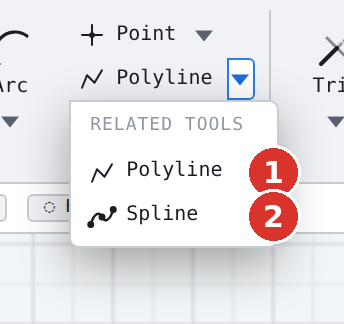
- Ribbon: group Draw, button Polyline (6); the triangle opens Spline curve.
- Classic toolbar: drop-down triangle of the polyline family (5).
- Command search : Polyline.
Procedure
- Click the start point (1).
- Click further points (2, 3 …) — the field L/∠ for length and angle of the next segment stands at the pointer.
- End with Enter or a double-click — or click the start point, which closes the run.

The run needs at least two points, otherwise nothing is created. To close the run, click the start point — object snap leads you exactly onto it.
What applies afterwards
- The polyline is one element: selecting, moving, deleting and hatching act on the whole run.
- If Create dimension while drawing is on, every segment receives its length dimension (live dimensioning).
- If the run starts at an existing endpoint, auto welding connects it there.
Options
- The run is created on the active layer; pick up attribute (J) applies beforehand.
- ORTHO keeps the segments horizontal or vertical, K opens coordinate entry.
- The whole run is one step for Undo.
Related commands
- Line — single segments
- Spline curve — smooth curve through the same points
- Double line · Polygon