
Copy a group
Goal
Place the “Bohrbild” with its subgroup “Zentrum” a second time in the drawing — as its own group with its own elements.
Steps
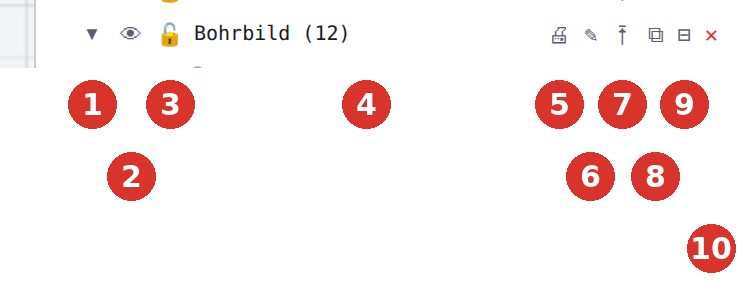
- In the “Groups” section click ⧉ “Copy group (duplicate elements)” (8) in the row “Bohrbild” — or right-click → “Copy group”.
- The copy is attached to the mouse (orange preview); status bar “Group "Bohrbild" with 1 subgroup(s) is attached to the mouse — click places the copy”. Move to the target with object snap and click. Esc cancels.

Result
The tree shows “Bohrbild (Kopie)” with the subgroup “Zentrum” (unchanged name) on the same level as the original; dimensions and welds inside the group came along.
Variant: clipboard
Select elements of one or more groups, Ctrl + C, Ctrl + V — the copy is attached to the mouse as well and keeps the group structure. Loose (ungrouped) elements stay loose.
Tip
For parts that stay identical in several places and should change together, a block is the better choice than a copied group.