
Change the language
Goal
Use LiberoDraft in German or English; the online help exists in the same languages.
Steps
- Gear on the right → Setup (German: Setup).
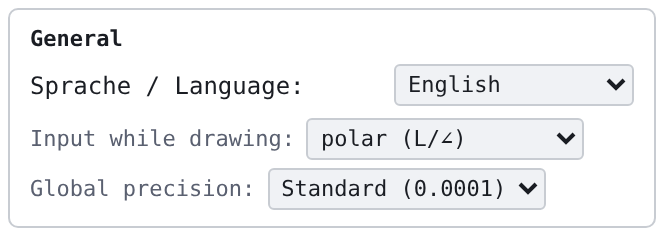
- In the box General choose the language in the list Sprache / Language.
- Done — the switch applies at once to bars, windows, tooltips and messages and is saved (status bar Sprache: Deutsch or Language: English). No Apply is needed for this.
Result
At the next start the chosen language is active. Without a saved choice the program follows the browser language. Drawing content, layer names and your own texts stay unchanged; the language of the online help is chosen with the language switch of the help page.