
Arcs
Purpose
An arc is a section of a circle. Which of the three tools is the right one depends on what the construction fixes: the centre, three points the arc has to pass through, or start, end and radius. All three deliver the same element, only the route differs.
In the program arcs always run counter-clockwise from the start to the end angle.
Access
- Ribbon: group Draw, button Arc Arc (4); the triangle opens the family with Arc 3P (2) and Arc S/E/R (3).
- Classic toolbar: drop-down triangle of the arc family (4).
- Command search : Arc.

Arc (centre)
Arc The classic route via the centre:
- Click the centre (1).
- Click radius and start angle (2) — the distance to the centre gives the radius, the direction the start angle.
- Click the end angle (3) — or type the angle into the field and press Enter.

If Create dimension while drawing is on, the arc receives its radius dimension in the middle of the arc (live dimensioning).
Arc (3 points)
Arc 3 points The arc runs through three given points:
- Click the start point (1).
- Click the endpoint (2) — Click the endpoint….
- Set the bulge (3) — Define the bulge / radius…: the preview follows the mouse, a click fixes the arc; alternatively type the radius into field R.
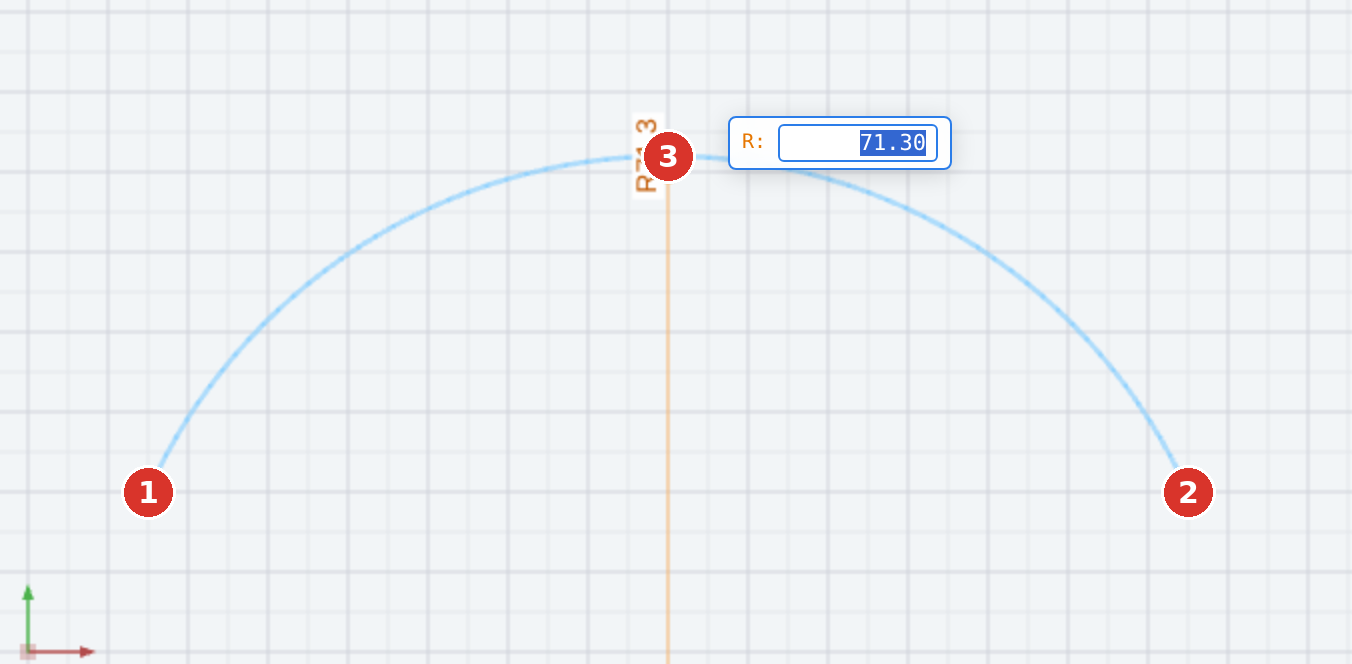
This is the right route when start and end lie on existing geometry and only the bulge is free.
Arc (start/end/radius)
Arc start/end/radius Here start, end and the radius are given:
- Click the start point (1).
- Click the endpoint (2).
- Type the radius and press Enter — or determine it with the mouse. The side the mouse is on decides whether the arc bulges left or right.

If the radius is smaller than half the chord there is no solution: Radius too small. If no arc can be formed from the inputs, the program reports Arc not possible.
Options
- All three tools draw on the active layer; pick up attribute (J) applies beforehand.
- Object snap applies to all points, K opens coordinate entry.
- Every arc is a separate step for Undo.
Related commands
- Arcs tangent — connection to existing elements
- Circle · Circle constructions
- Curved slot — arc-shaped slot