
Undo
Purpose
Takes back the last change step of the drawing. LiberoDraft remembers up to 50 steps; every command that changes the drawing (drawing, moving, deleting, dimensioning, import, clean-up) is one step.
Access
- Key: Ctrl + Z.
- Ribbon: group Action Undo (1) — with the group collapsed via the triangle.
- Classic toolbar: button Undo (1) at the right among the actions.
- Command search : Undo.
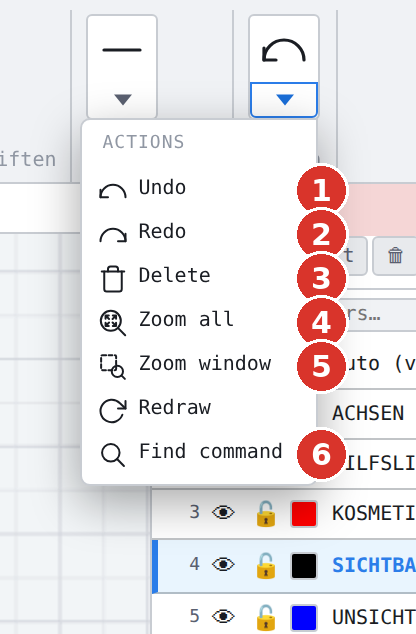

 left half
 right half
Procedure
One call takes back one step and restores elements, dimensions, hatches, layers, groups, constraints and block definitions of the previous state; the selection is cleared. The status bar reports Undo. If there is nothing to take back, nothing happens.
In paper space every sheet has its own undo list (viewports, frames); there the command acts on the active sheet.
Options
None. View changes (zoom, pan) and settings are not steps and are not taken back. New drawing and Open clear the list.
Related commands
- Redo — execute a taken-back step again