
“Constraints” section
Experimental status: constraints are an experimental function group — see Constraints.
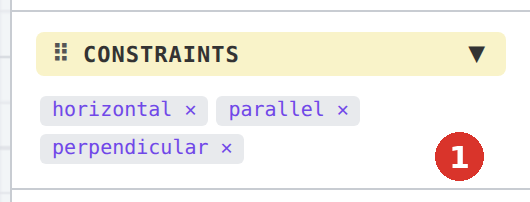
The “Constraints” section is the third in the factory order, below “Properties”. It shows the constraints of the one selected element.
Contents
| Selection | Display |
|---|---|
| nothing | “Select an element” |
| one element without constraints | “Keine Constraints” (German in every language) |
| one element with constraints | one tag per constraint with the internal type name (“horizontal”, “parallel”, “perpendicular”, “equal”, “coincident”, “concentric”, “tangent”, “collinear”, “fixed”, “intersection”) and ✕ |
| several elements, dimensions or hatches | empty |

✕ — delete constraint
A click on a tag removes the constraint from the drawing (one undo step); the elements involved stay, their position does not change. The same is done by right-clicking the symbol in the drawing (Delete constraint).
Note
The tags carry the internal names of the constraints (v3.0.23). The full names are on the page Constraints.
Related topics
- Constraints — the eleven constraints
- System layer “Constraints” — hide the symbols