LiberoDraft Logo Start fast. Draw freely. Save locally.
STEP → LiberoDraft

STEP2LiberoDraft – derive 2D CAD drawings from 3D STEP models

STEP2LiberoDraft creates clean 2D derivations from STEP/STP files for LiberoDraft: views, section views, hidden edges, axes and export as .cad2d.

STEP2LiberoDraft adds a practical bridge from 3D STEP files to editable 2D drawings for LiberoDraft.

  • load STEP/STP files and derive orthographic drawing views
  • prepare front, back, top, bottom, left, right and ISO views
  • control visible and hidden edges, axes, section views and view labels
  • export the result as a LiberoDraft .cad2d file and continue editing there
  • useful whenever existing 3D models should quickly become clean 2D documentation
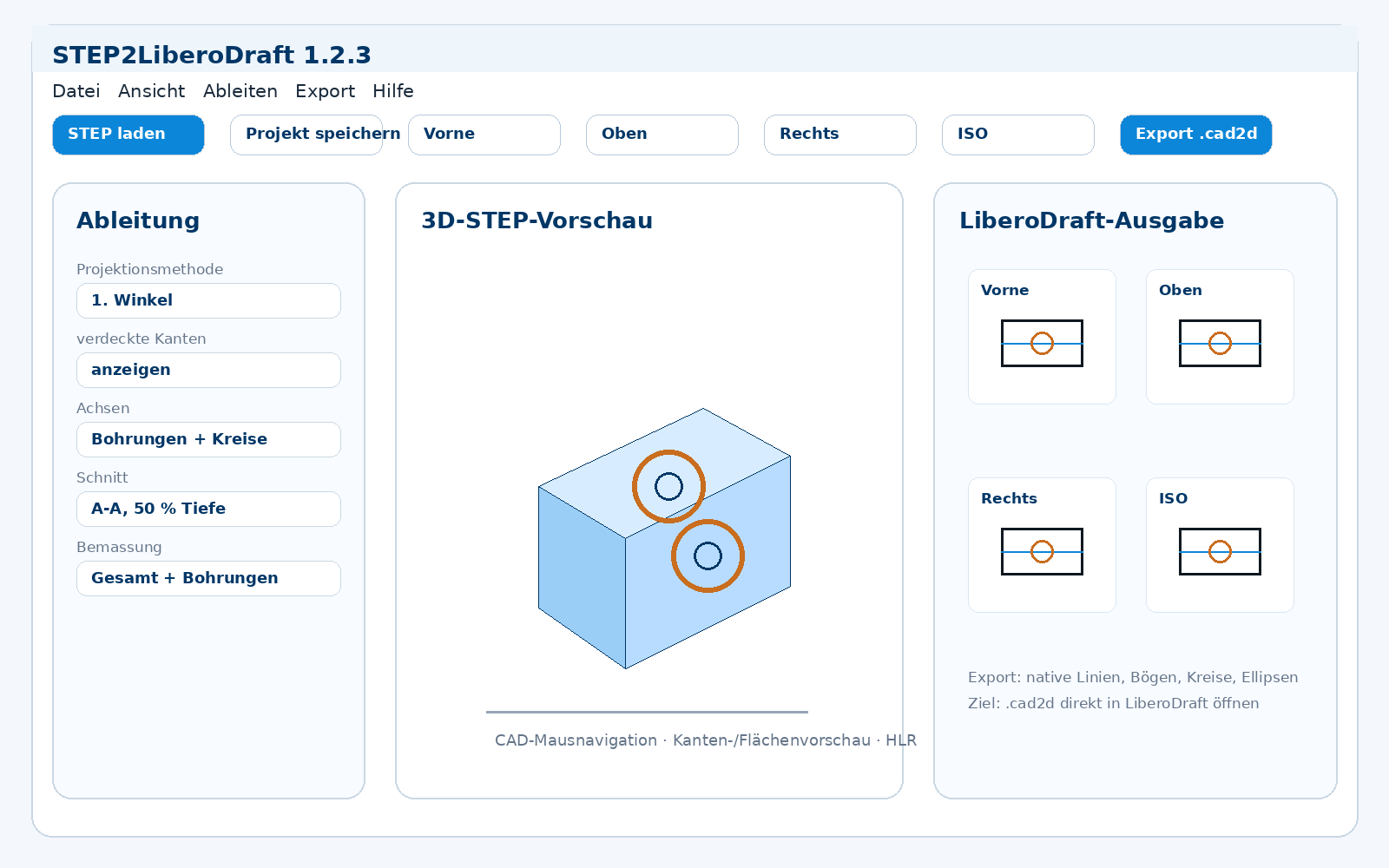
STEP2LiberoDraft main window with 3D preview and 2D derivations
STEP2LiberoDraft

A useful bridge between 3D STEP and 2D CAD

STEP2LiberoDraft is designed for users who receive or create 3D STEP models but want a fast editable 2D drawing in LiberoDraft.

STEP/STP

Load common STEP files and prepare reusable derivation projects.

HLR

Visible and hidden edges can be derived for clean technical views.

.cad2d

Export to LiberoDraft .cad2d and continue editing as native 2D geometry.

Sections

Section lines, hatching and view placement support practical documentation.
Screenshots

STEP2LiberoDraft in practice

Load and prepare a STEP file
Load and prepare a STEP fileSTEP2LiberoDraft shows the main derivation options on the left, the 3D preview in the centre and the prepared LiberoDraft views on the right.
Automatic drawing views
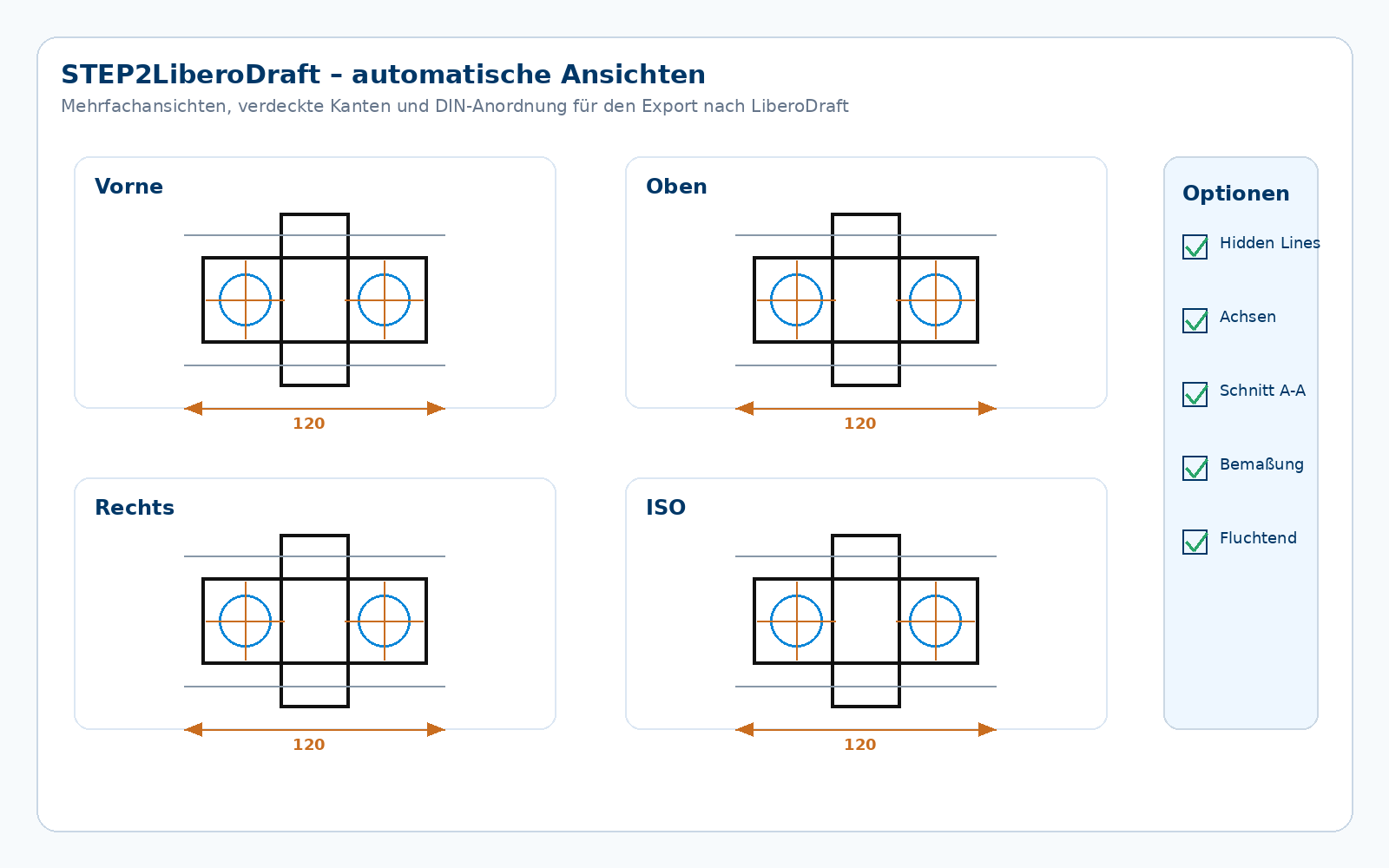
Automatic drawing viewsSeveral orthographic views can be arranged, displayed with hidden edges and prepared for export.
Section and .cad2d export
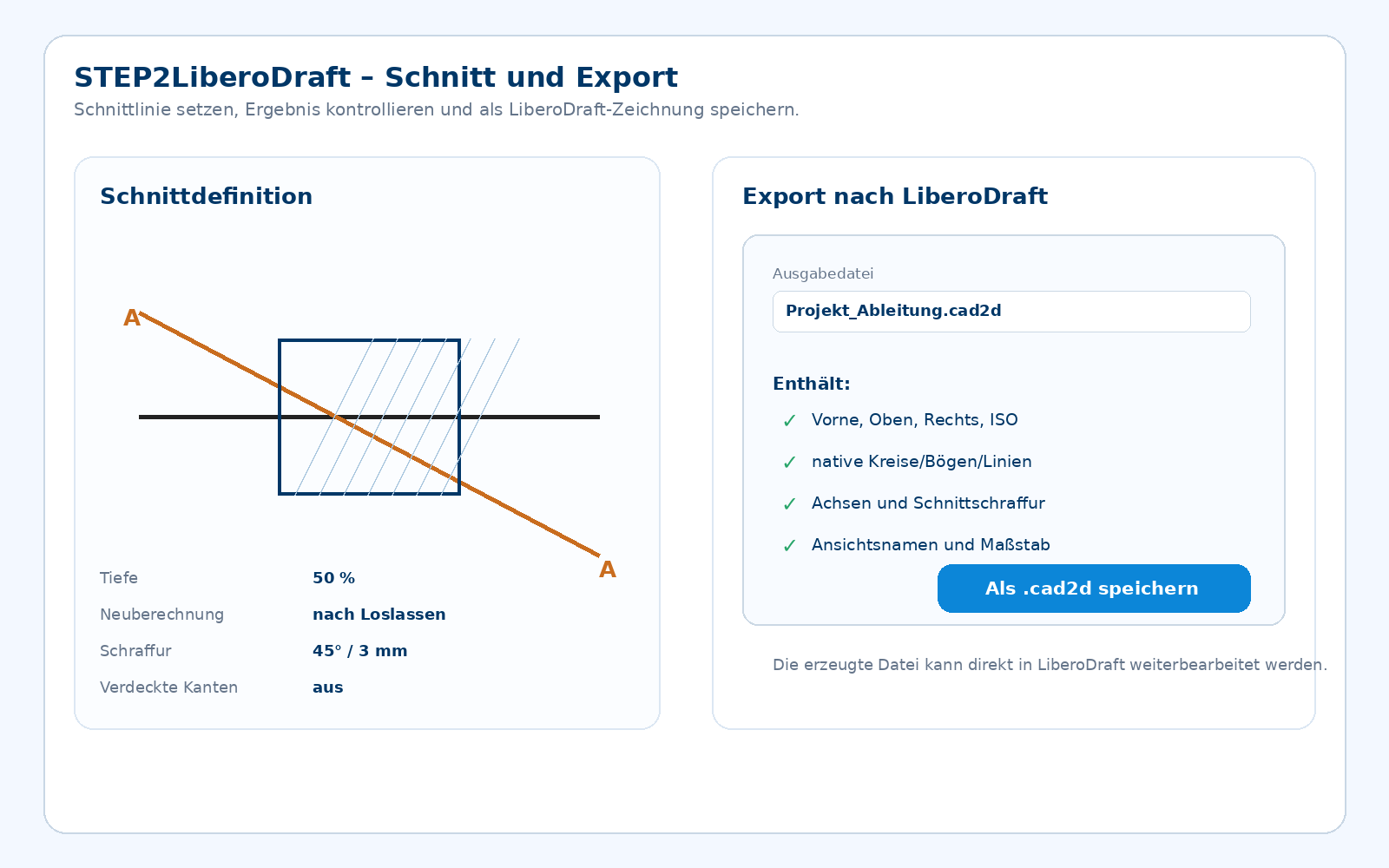
Section and .cad2d exportSection views, hatching and export options help turn 3D data into an editable LiberoDraft drawing.
Project files and settings
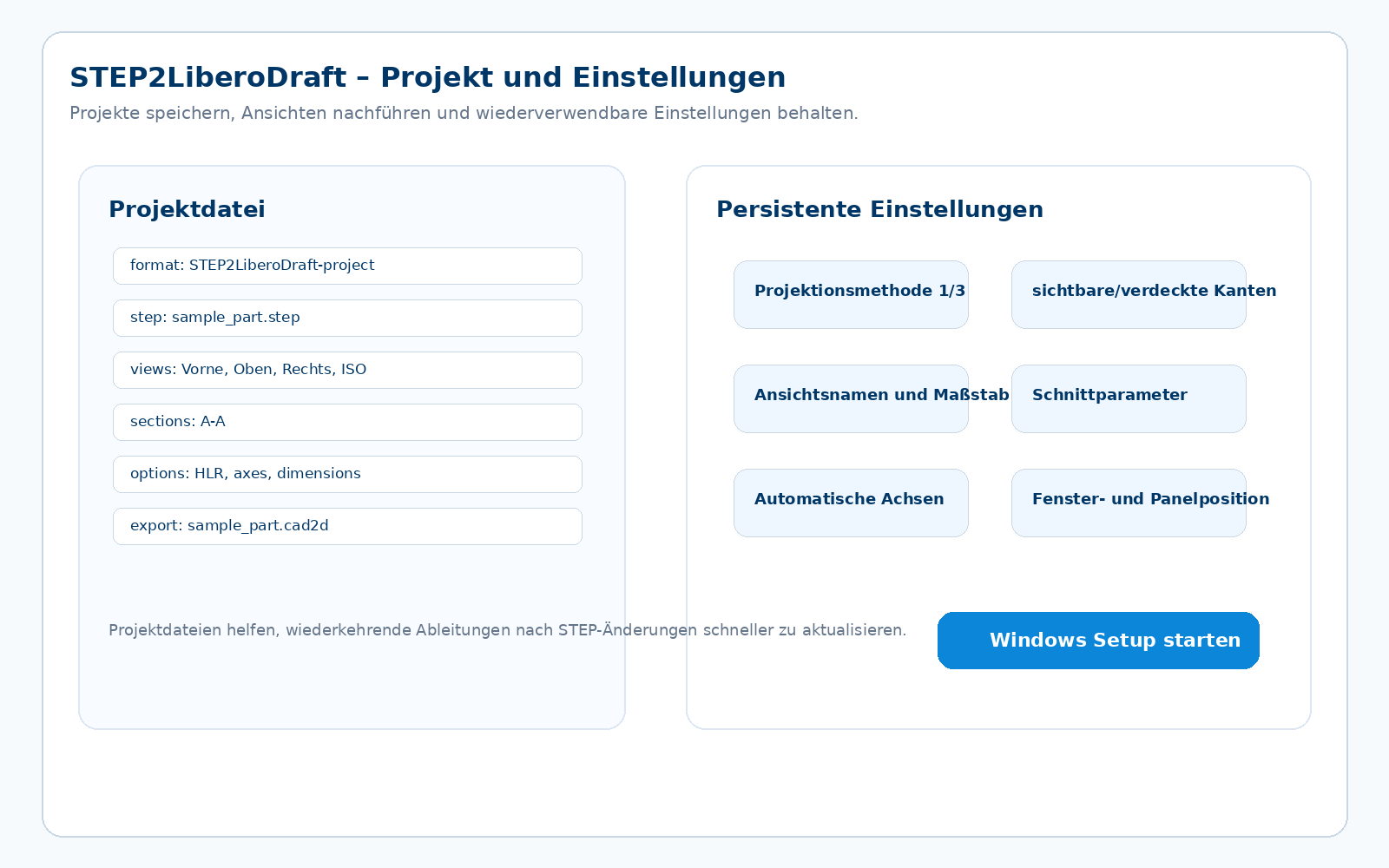
Project files and settingsProjects and settings are retained so recurring derivations can be updated more quickly.